Pages

Sunday, 26 October 2014

How to Import GoPro HERO4 (Black) 4K footage to Sony Vegas Pro 13/12

Facing problems when importing and editing GoPro HERO4 (Black) 4K footage in Sony Vegas Pro 13/12? Fortunately, there is an easy way to fix the issue. Let's find it out here.


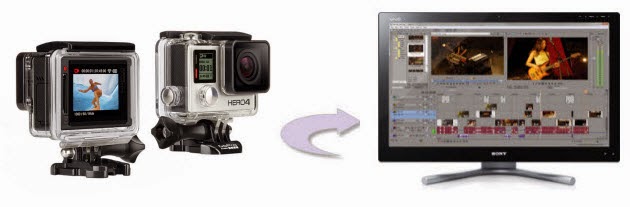
GoPro's 2014 flagship camera (Hero4 Black) finally brings a lot of the features professionals have been begging for, most significantly: 4K video at 30 frames per second, and 1080p video at a mouth-watering 120 frames per second. If you've have shoot some 4K videos and want to import GoPro 4K films to Sony Vegas Pro 13 or Vegas 12 for further editing, you will find it's a frustrating thing. If you're facing problems editing GoPro Hero4 footage in Sony Vegas, here is a simple tutorial for you, guarantee to achieve your goal smoothly.

Tuesday, 21 October 2014

How to Easily Convert Sony Handycam MTS to MP4 Videos

This articles walk you through how the whole process of converting Sony Handycam MTS to MP4 video with zero quality loss so that you can share, play or edit them with ease.


The Sony HDR Handycam camcorders like HDR-PJ580V, HDR-CX260V, HDR-GW77V, HDR-XR260V, HDR-PJ760V, etc. are great for professional and amateur users because of the low price and excellent video quality. Almost all the Sony Handycam camcorder supported recording AVCHD footage with an extension of MTS format. However, the AVCHD MTS files are not so easy to share, edit or playback. So you will need to convert Sony Handycam MTS to MP4 format for easy handling.

Sunday, 19 October 2014

Sony PXW-X160 XAVC and Adobe Premiere Pro CC/CS6/CS5/CS4 Workflow

Can't import Sony PXW-X160 XAVC files to Adobe Premiere Pro for editing? The easy workaround to is to convert Sony PXW-X160 XAVC to a more editing-friendly format for Premiere Pro.


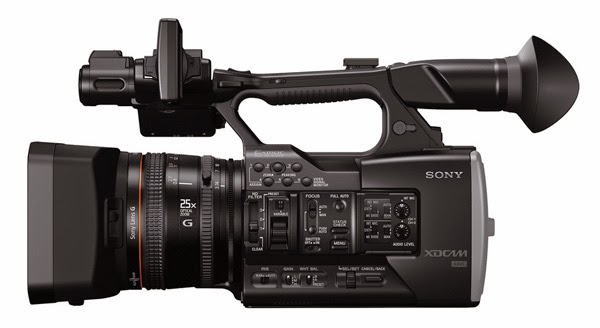
The Sony PXW-X160 is designed for use in broadcasting, production facilities and on corporate and event productions. It can record in XAVC Intra and Long GOP, enabling 10-bit sampling for HD recordings with a long tonal range, and also the MPEG HD422 at 50 Mbps format now used frequently in broadcast and production. It records in MPEG HD420 at 35 Mbps, AVCHD and DV formats as well. While, there are a few issues when it comes to viewing, importing and editing Sony PXW-X160 XAVC files in non-linear editing software like Adobe Premiere. Luckily, I've figured out an effective way to import Sony PXW-X160 raw footage to Premiere Pro flawlessly. Share as below.

Friday, 17 October 2014

How to Work Sony PXW-X70 XAVC in Vegas Pro 13/12

Having issues import Sony PXW-X70 XAVC clips into Vegas Pro 13/12 for further editing? Fortunately, there is any easy way to fix the issue. Let's find it out here.


Although Sony claims that it's just as easy to work with XAVC and XAVCS footage in Vegas Pro 12 and Vegas Pro 13 as it is to work with any other footage, it seems that the post-production is not as easy as we image if you've tried to import Sony PXW-X70 XAVC files to Vegas Pro 13/12 for editing. And there are questions quoted as below:

Q1: V13 not seeing Sony PXW-X70 XAVC clips?? Anyone having an issue getting Vegas 13 to accept the XAVC Long GOP 50-mbit clips from the new Sony PXW-X70?

Q2: Sony PXW-X70 XAVC files cannot be 'seen' by Vegas Pro 12 I have purchased a Sony PXW-X70 which as far as I can see performs very well indeed with the test footage I have shot. But how do you get the XAVC quality footage into Vegas Pro 12?

Tuesday, 14 October 2014

How to Import Sony HDR-AS100V XAVC S to Adobe Premiere Pro CC/CS6/CS5

Facing problems while importing Sony HDR-AS100V XAVC S files to Adobe Premiere Pro CC/CS6/CS5 for further editing? Fortunately, there is an easy way to fix the issue. Let's find it out here.


Designed for point-of-view (POV) shooting during action sports, the compact Sony HDR-AS100V POV Action Cam supports up to Full HD 1080/60p XAVC S video at 50 Mbps. You can also shoot 1280 x 720p slow motion video at 100 or 120 fps, and 800 x 480 slow motion video at 200 or 240 fps. The camera can also capture 13.5MP still images when using the photo mode. However, you will find it a painful experience to import Sony HDR-AS100V XAVC S files to Adobe Premiere Pro CC, CS6, CS5 for editing. So what's the available workflow for Sony HDR-AS100V and Premiere?

Saturday, 11 October 2014

Solve MTS files No Audio in Adobe Premiere Pro CC/CS6/CS5

MTS files import into premiere with no audio? Fortunately, there is an easy way to fix the issue. Let's find it out here.


"We have lots of MTS files with Premiere Pro CS6. I can hear the audio just fine with VLC. If you drag it to the Premiere project it will miss the audio track. I have downloaded an updated version of Premiere Pro from Adobe. And still it won't handle .mts files?"

People who are start using an AVCHD camcorder like Sony NX70, Sony VG900, Panasonic SD90, Canon XA10, etc often have the same case- Adobe Premiere Pro not reading audio from .MTS file as quoted above.

Read related posts about the MTS to Premiere Pro issue, some guys recommend the Media Browser, so I tried that instead of dragging MTS files into Adobe Premiere. Unfortunately it still does not work. After speaking to an Adobe representative I was told this was because I don't have the entire AVCHD folder structure and metadata available, just the .MTS files, and that the reliable workaround to get the audio back into Premiere is to transcode MTS clips into another format like MPEG-2 that Premiere Pro can fully support. This will help you import the file correctly.

Wednesday, 8 October 2014

Can't Import DivX files to iMovie? Solved!

Summary: You may come across problems when you import DivX video files into iMovie 11 or iMovie 08/09. This tutorial just aims to solve iMovie can’t detect DivX codec issues.


According to Apple, iMovie 11 supports most commonly-used video codecs, including DV, MPEG-2, MPEG-4, H.264, AVCHD and AIC. While, when you import DivX to iMovie, you may come across problems- nothing shows up on the screen. That’s because if a file is not "edit" compatible with iMovie, it will be ignored.

Sunday, 21 September 2014

How to Open Brinno Camera AVI files in Sony Vegas Pro

Summary: This article will teach you how to transfer Brinno Camera AVI files to Sony Vegas for further editing smoothly.

The Brinno time-lapse camera is a very simple device that aims to simplify time-lapse photography as much as possible. The difference with a dedicated time-lapse camera like the TLC100/TLC200 is that it takes out a lot of the work that needs to be done such as stitching still images together and creating the video file. The video file will be left with an .AVI contain. It is much simple to take videos, however, you will find that it is a difficult task to edit the captured AVI videos in Sony Vegas.

Friday, 19 September 2014

How to Import Panasonic HX-A500 4K to Adobe Premiere Pro CS5/CS6/CC

Summary: Wanna transfer Panasonic HX-A500 4K videos to Premiere for further editing? This article will give you some hint on how to convert Panasonic HX-A500 4K videos to Premiere supported format.

The Panasonic HX-A500 is the world's first 4K 30/25p wearable camcorder which can record videos with 3820 x 2160 resolution at 30/25 fps frame rate. Many users tend to capture videos via 4K camcorders for outstanding video quality. However, if they want to import Panasonic HX-A500 4K video to some NLEs, like Premiere for further editing, they will encounter some problems.

Monday, 15 September 2014

Tricks for Editing Nikon D810 MOV in Windows Movie Maker


If you are planning to import Nikon D810 H.264 MOV to Windows Movie Maker for further editing, this post can supply a best solution to you. Follow on.


Nikon has released D810 recently, a digital SLR camera that boasts incredibly superior definition and image quality made possible with a new Nikon FX-format CMOS sensor. However, the new released Nikon D810 still adopts H.264 codec to compress the recordings in MOV format. Although this codec is good for capture and delivery, it is not quite suitable for editing that users may have troubles while importing Nikon D810 videos to Windows Movie Maker directly.

Thursday, 11 September 2014

Fast resolve Nikon P600 to FCP/iMovie importing issues

Facing problems editing Nikon P600 MOV files in Final Cut Pro or iMovie? Fortunately, there is an easy way to fix the issue. Check it out here!


The Nikon Coolpix P600 isn't the quickest camera, but that might be a small price to pay for having such a long lens on a relatively compact, lightweight camera. It offers the choice of two Full HD video modes -1080p25 and 1080i50 in H.264 AAC (MOV) format. However, users find it's difficult to import Nikon P600 MOV clips to FCP/iMovie or other NLE system. Here I share with you a simple guide on how to get Nikon P600 MOV video to FCP/iMovie in full compatibility without any editing issues.

Wednesday, 20 August 2014

How to Import Sony A7S XAVC S to Final Cut Pro 7 or FCP X

Problems working Sony A7S media with Final Cut Pro 7 or FCP X? Fortunately, there is an easy way to fix the issue. Let's find it out here.


The sensor of Sony A7S is big, the 35mm sensor with large pixels is good for high ISO and dynamic range, 12.2MP sensor optimized for 4K and low light video recording, with this excellent device you can get uncompressed 4:2:2 full HD in XAVC S format. Overall we are expecting the image to be most exciting from the A7S. However, if we want to import the XAVC S videos from Sony A7S to Final Cut Pro 7 or FCP for editing the movies, you may find the high quality XAVC S files are not recognized by FCP. So what's the available workflow for Sony A7S and FCP?

Tuesday, 3 September 2013

How to import Canon FS100/FS200/FS300 footage to iMovie, FCP, FCE, Avid and Premiere

Trouble importing MOD footage from Canon FS100/FS200/FS300 to iMovie, Final Cut Pro, Final Cut Express, Avid Media Composer or Premiere Pro for editing smoothly on Mac? Look no further, follow the simple tutorial here!


Canon FS series camcorders are popular among the consumers. Compared with high definition camcorders, it is much less expensive. When it comes to SD camcorder list, it ranks top. Canon FS Series camcorder like Canon FS100, Canon FS200, Canon FS300 shoot 720P/1080P high-definition video with MOD format and MPEG-2 compression. While enjoying the stunning HD image quality, Canon FS users may be annoyed while having trouble importing Canon FS100/FS200/FS300 MOD files into iMovie, Final Cut Pro, Final Cut Express, Avid Media Composer or Premiere Pro. There're some frequently asked questions quoted as below.

Monday, 12 August 2013

Make Sony SLT-A57 AVCHD footage compatible with iMovie/FCE


"Hi, I'm using Sony SLT-A57 footages on a MacBook Pro. I need to upload these videos to iMovie so that I can edit them later. But it seems iMovie does not like to work with my videos, I think I'm just missing something that is pretty simple. Can anyone help?

As the successor to the SLT-A55, the Alpha SLT-A57 includes advanced features such as translucent mirror technology, a 16.1 MP resolution and BIONZ processor, 12 fps continuous shooting, Full HD movie at 60p (50p) and the world's first Auto Portrait Framing. With the DSLR, you can record 1920 x 1080 pixel movies at either 60 or 24 fps (50 or 25 in Europe).

However, here comes the problem. The AVCHD codec allows people save large extraordinary videos without quality loss, but the output video size is pretty large correspondingly. It's not easy for permanent preservation. Meanwhile AVCHD is not a Mac friendly video codec, and the .MTS format is not support by many nonlinear editing programs on Mac, such as Final Cut Pro, iMovie/Final Cut Express, Avid Media Composer, etc. What's more, iMovie can't import 60p AVCHD footage from Sony A57. What should we do to make Sony A57 AVCHD footages working with iMovie/FCE on Mac?
How to import Canon C300 MXF footage into FCP X (Final Cut Pro X)

To import Canon C300 footage into Final Cut Pro X, th easy workaround is to use third party software to convert C300 MXF to ProRes codec. Here is how-to.


Featuring a unique Super 35mm Canon CMOS sensor, revolutionary Canon DIGIC DV III Image Processor and 50 Mbps 4:2:2 codec, the EOS C300 provides outstanding cinema quality movie capture. Compact, modular and compatible with Canon's existing line-up of EF and new EF Cinema lenses as well as accessories from third parties, the stunningly simple to operate EOS C300 is designed to please cinematographers for any production large and small, on location or in the studio, from shoestring to Hollywood budgets. The piont here, many users are facing issues and find it a painful experience to import C300 footage into Final Cut Pro (which includes the FCP X, FCP 7, FCP6 or ther former). Below, I am looking at how to bring Canon C300 footage into Final Cut Pro.

Wednesday, 24 July 2013

How to import Sony HDR-PJ790V footage to Avid, Premiere and FCP X

Here will outline how to import Sony HDR-PJ790V footage into Avid Media Composer, Premiere Pro and Final Cut Pro X.


As one of the high definition Handycam camcorders, the Sony HDR-PJ790 makes your filmmaking debut with ultra-smooth HD, a 5.1 channel mic and built-in projector to showcase your masterpiece. This 24.1MP camcorder delivers Full HD 24p/60p recording, ideal for rich storytelling. While enjoying the stunning HD image quality, many folks are having problems when importing Sony HDR-PJ790V 60p footage into Avid Media Composer, Premiere Pro or Final Cut Pro X to do some editing. If you're in such a situation, you can read on the article to learn more, which mainly shows you how to get Avid, Premiere and FCP X to work perfectly with Sony HDR-PJ790V 60p AVCHD files.

Thursday, 18 July 2013

How to get iMovie 09/11 recognize Canon Vixia HF S21

We all know that the recording format of Canon Vixia HF S21 is the AVCHD which delivers stunning picture quality. Vixia camcorders recorded video format is AVCHD MTS, and this format is also used in Canon XA10 and other popular high-end camcorders. However, if you want to edit Canon HF S21 MTS files in iMovie 09/11, you will meet siome problems. MTS format is not easy to use as it's not well supported by many editing software, especially on Mac. Currently neither iMovie 9 nor FCE 4 supports the original MTS footages from Canon Vixia HF S21, that's why you cannot import Canon AVCHD MTS files to FCE/iMovie.


The common practice for MTS workflow with FCE/iMovie is, get a Mac AVCHD to iMovie/FCE Converter and transcode Vixia HF S21 MTS footage to AIC (Apple Intermediate Codec), the well-acknowledged optimal editing format for iMovie 9/11 and FCE 4. By converting .MTS files to Apple Intermediate Codec(AIC)(*.mov) you save both time and trouble, as AIC video will be processed by FCE4 and iMovie naturally without rendering, and all you need is drag and drop the result video for prompt editing.

Monday, 15 July 2013

How to Import AVCHD content from Sony HDR-CX360V to iMovie '08, '09, and '11

Want to import video files from Sony CX360V to iMovie 08/09/11 while iMovie can't detect your camcorder. Fortunately, there is an easy way to fix the issue. Find it out here.


Q1: iMovie 11 & the Sony HDR-CX360V "I'm unable to get these two communicating. After connecting the video camera to the iMac via a USB cable and turning the camera on, the choice on the display says, "USB Connect." When selected, it looks as though it's trying to connect but nothing happens. Very frustrating. Any advice on how to import videos would be greatly appreciated."

Q2: "I have a new Sony HDR-CX360V camera. The PMB software included is only for PCs. I am trying to import some video. When I connect with the USB cable nothing happens. What do I need to do to import my videos?"

Sunday, 14 July 2013

Best way to import video from Canon XA10 to Final Cut Pro X (FCP X)

The easy workaround to get Final Cut Pro X work with Canon XA10 mts files is to Convert MTS to Apple ProRes MOV which ensures the best result when using in FCP X.


The Canon XA10 seems to be identical to the G10, but comes with a detachable handle that includes dual XLR inputs, audio switches, an infrared light, tally lamp, removable microphone holder, zoom and record switches, and an accessory shoe. The digital Camcorder allows you to capture 1920*1080 videos at 24Mbps in AVCHD format, and the CMOS sensor also allows you to select 60i, 24p, PF30, and PF24 frame rates to customize the look of your footage. While enjoying the stunning HD image quality, many folks are having problems when importing video (AVCHD mts files) from Canon XA10 to Final Cut Pro X or FCP 7/6.

In fact, to import AVCHD footage correctly, Final Cut Pro (FCP 6/FCP 7/FCP X) requires the directory structure of the XA10 footage must be the same as when it was recorded to the card. If you’ve copied your footage onto a hard drive or other storage media and only kept part of the file structure you’re going to be presented with an unsupported media error message like this one…

Friday, 12 July 2013

How to get iMovie/Avid work with Canon Vixia HF G20 MTS files perfectly


The Canon's Vixia HF G20 features a Genuine Canon 10x HD Video Lens with an 8-Blade iris for more professional-looking video and stills. It has a 30.4 - 304mm (35mm equivalent) focal length. The camcorder is also equipped with a Canon HD CMOS Pro image sensor that supports improved low-light performance and a wide dynamic range. And the excellent camcorder shoots 1920 x 1080 Full HD video at 60i, in native 24p and 30p. With the 24p frame rate option you can give your footage a cinematic look.

However, while enjoying the stunning HD image quality, many folks are having problems when importing Canon Vixia HF G20 video files into iMovie or Avid Media Composer for further editing. If you're in such a situation, you can read on the article to learn more, which mainly shows you how to get iMovie and Avid MC to recognize Canon Vixia HF G20 footage beautifully.